Hierarchy kept
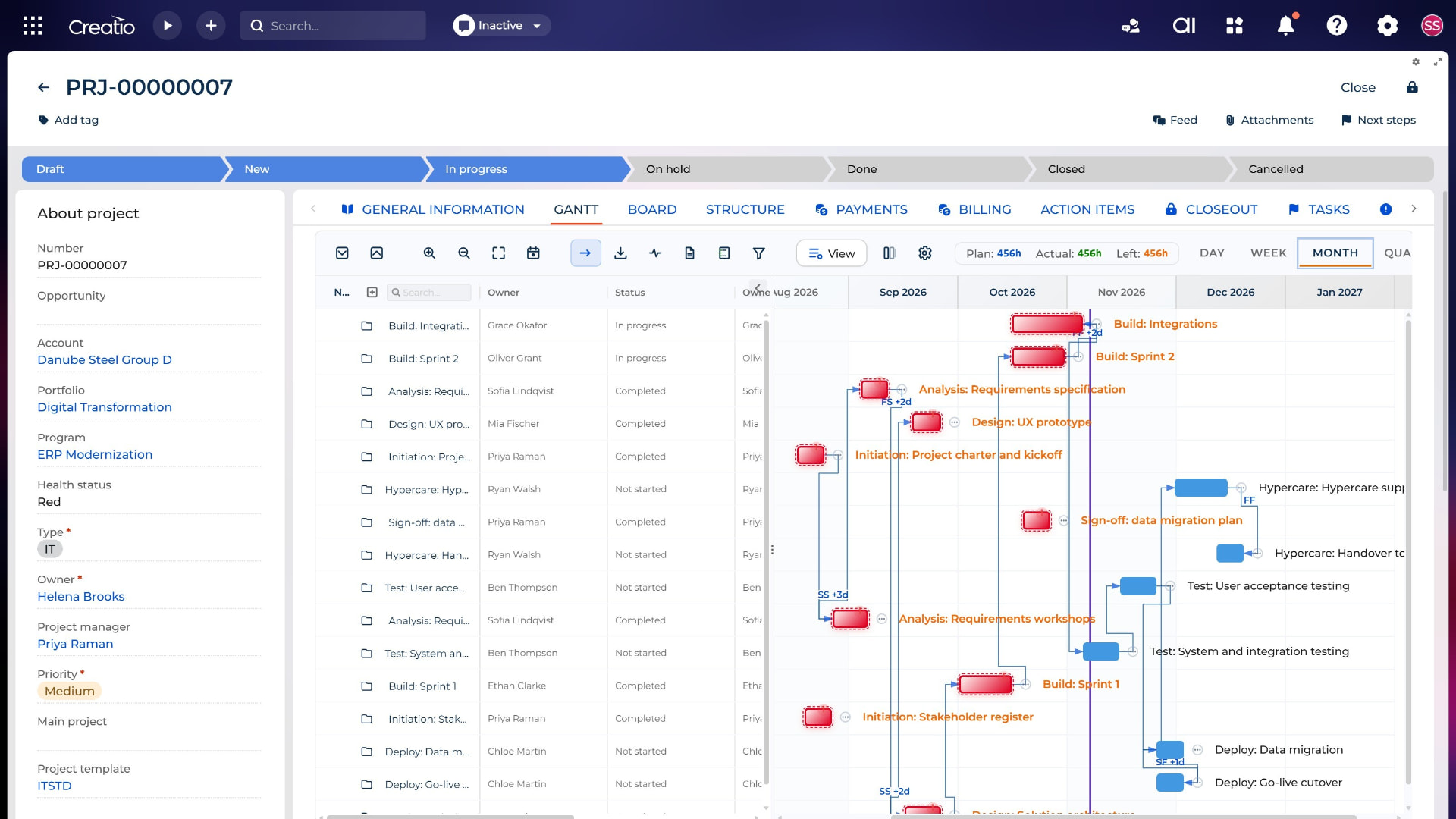
Epics, tasks and sub-tasks become a PM project with parent tasks.
 ×
SYNTECH PM MIGRATOR
The Syntech PM migrator maps Jira, Monday.com and ClickUp projects, tasks, people and statuses into Syntech Project Management, with a dry run first and one-click rollback.
A Jira export (CSV or XML) or a Monday / ClickUp export.
A ready template for each source; adjust entity, field and value mappings for statuses, priorities and people.
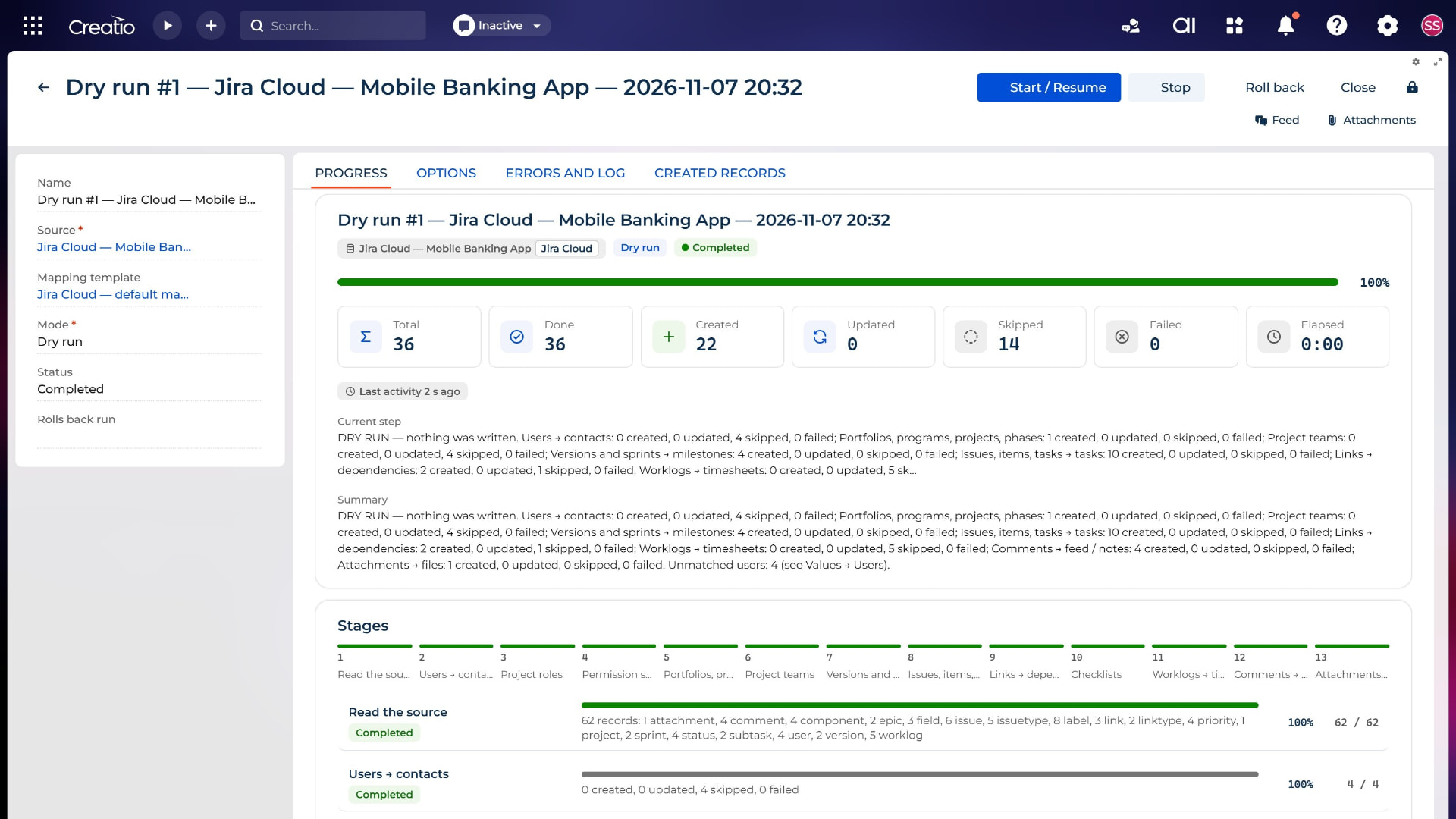
Checks every record and shows what would be created, updated or skipped, before anything is written.
The import is idempotent: running it again updates and never duplicates. Rollback removes what the run created. Every run keeps its stages and log.
Epics, tasks and sub-tasks become a PM project with parent tasks.
Assignees and owners are matched to Creatio contacts.
A Jira permission scheme can become a Syntech PM permission scheme.
A run tracker on the run page shows each stage as it happens.
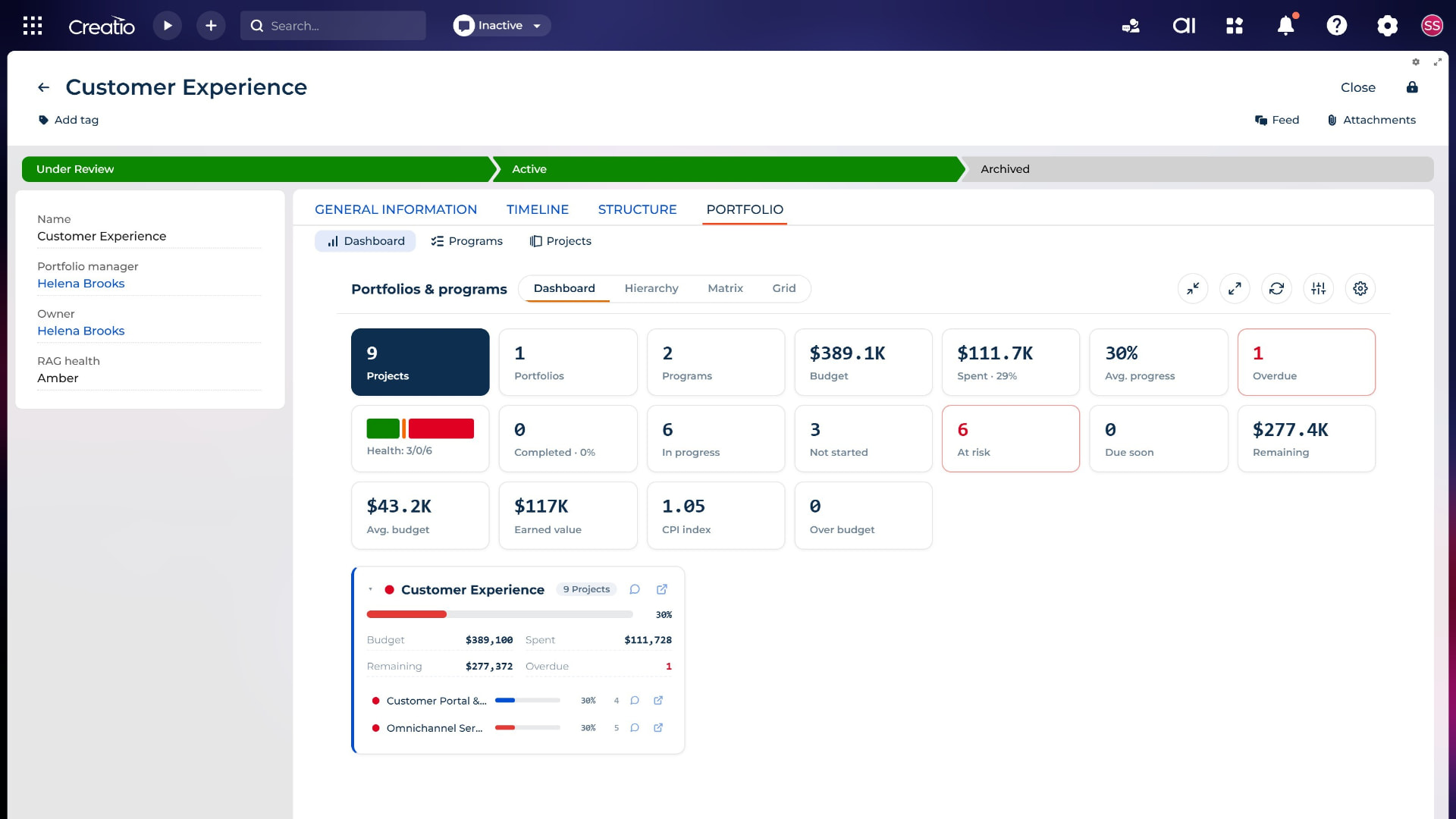
Bring your projects, people and time together inside Creatio.