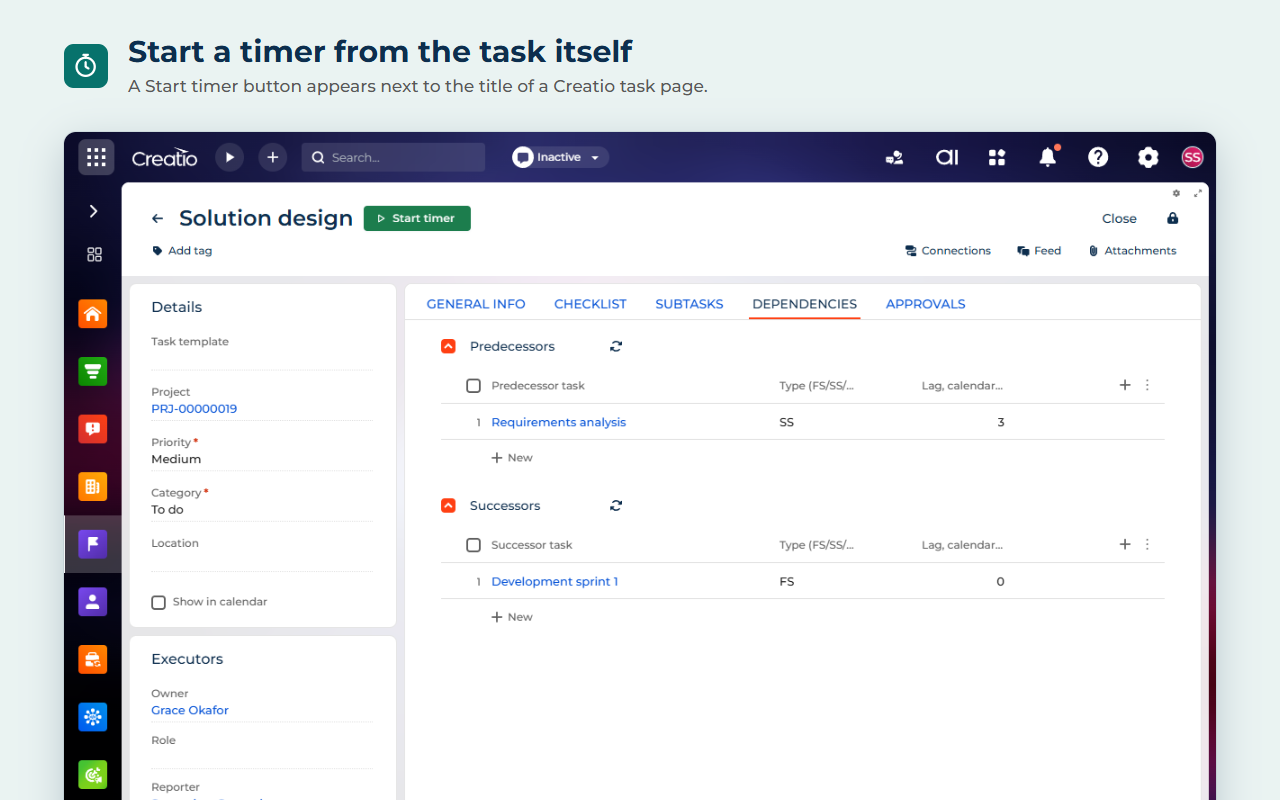
Start on the task you are looking at
The timer widget sits on the task page and the project page and picks up that task.

 ×
SYNTECH TIME TRACKER
Start, pause and stop a real timer on any project task. Every minute lands in the Project Management timesheet: no copy-paste, no month-end chase.
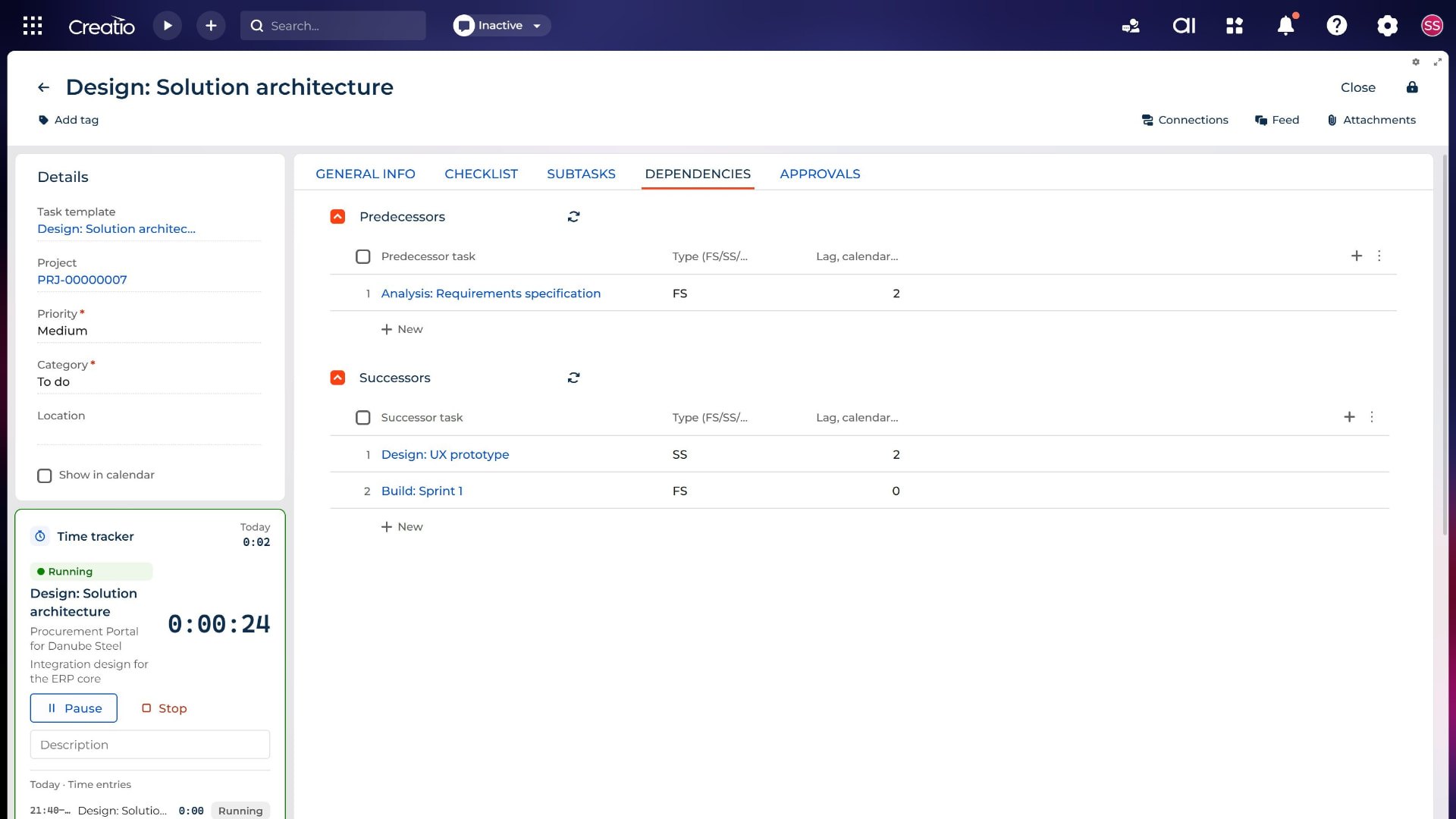
The timer widget sits on the task page and the project page and picks up that task.
One running timer per person; the elapsed time keeps counting across page reloads.
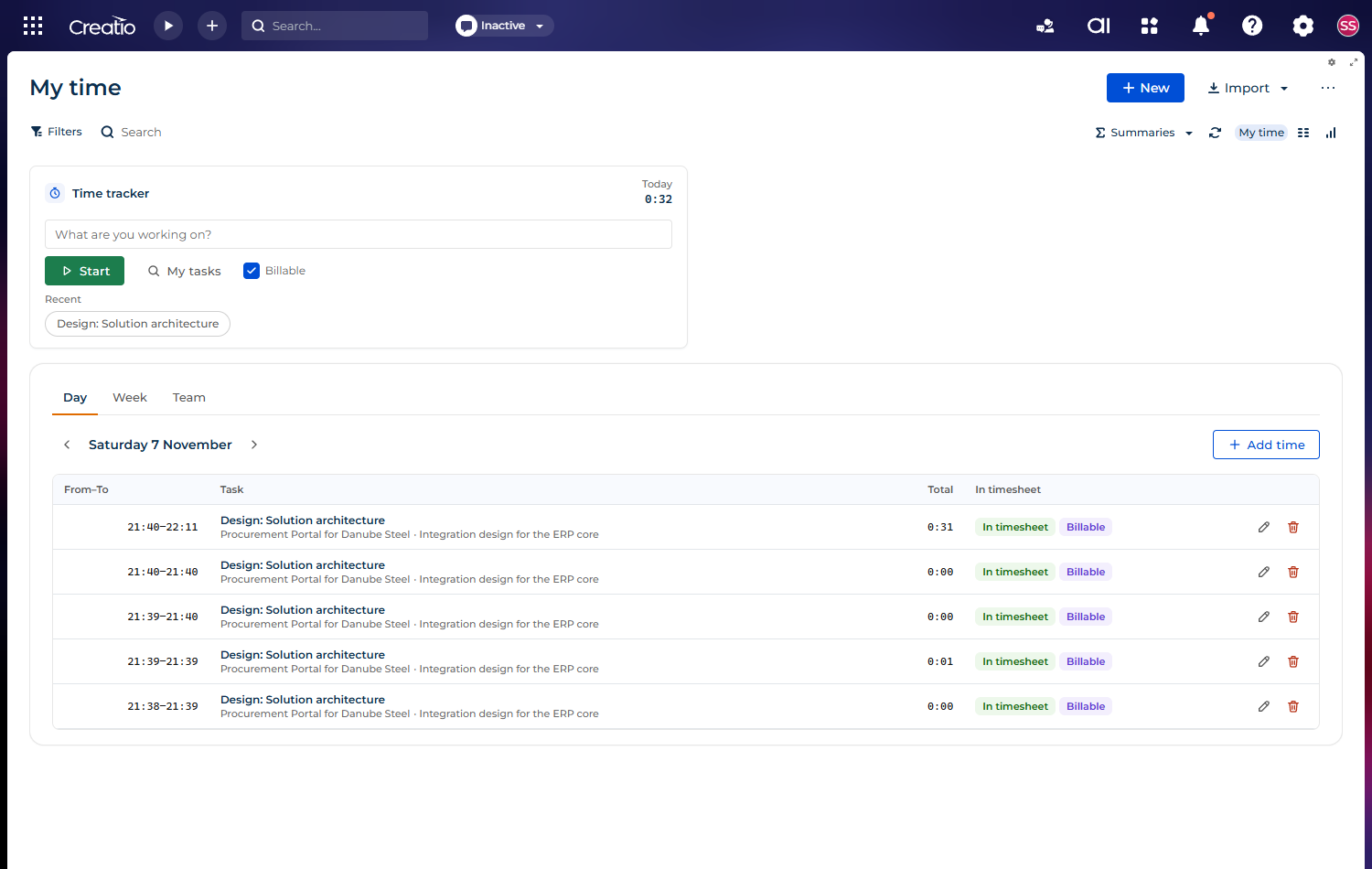
Each entry updates a draft line in the weekly PM timesheet for that task, then goes through the usual submit/approve flow.
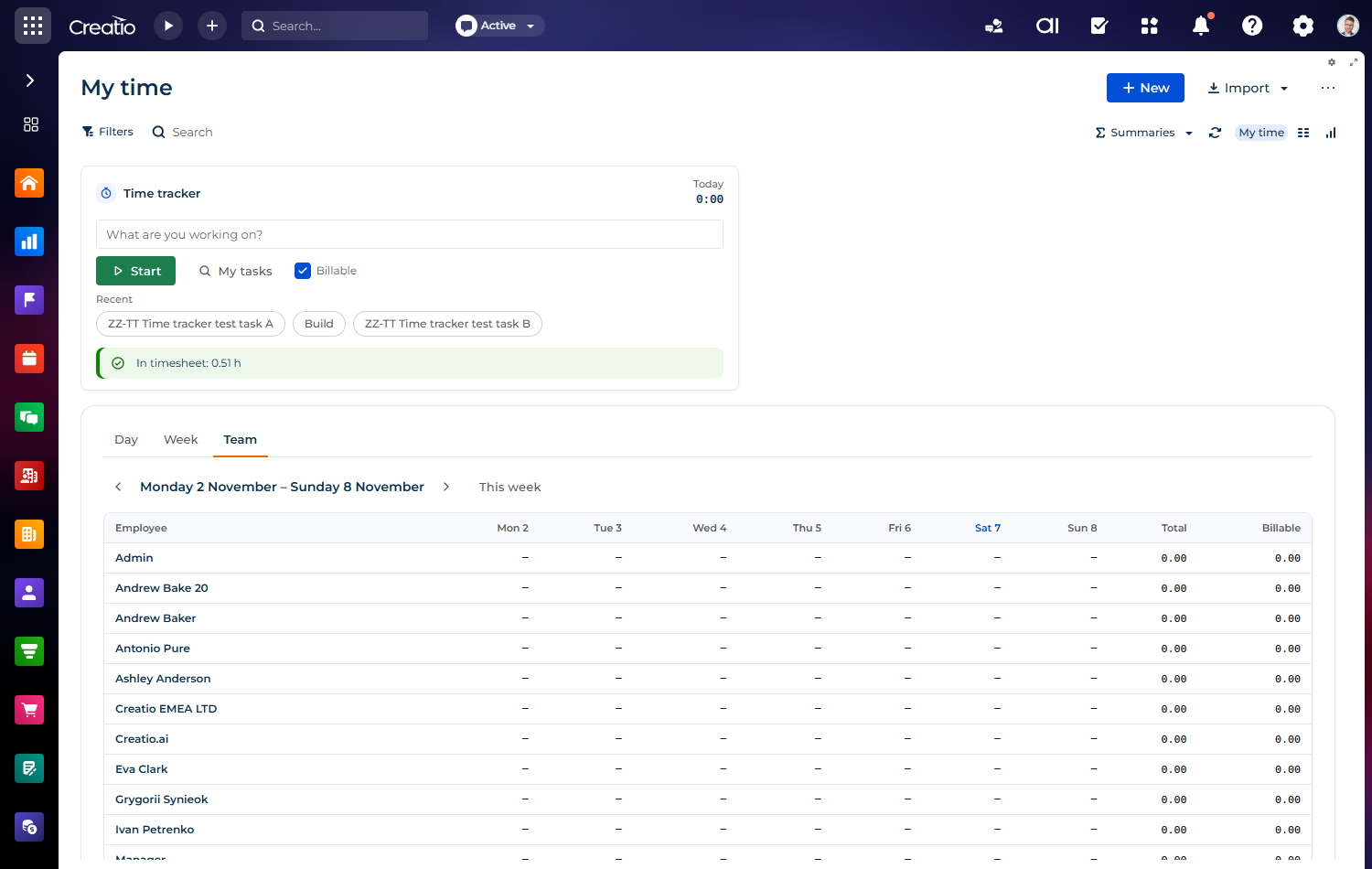
Daily list, week view and a team view for managers.
If you are not on the project team, the widget says so before you start, so time does not silently miss the timesheet.
A billable flag on every entry keeps the decision with you.
The interface follows your Creatio language: English, Ukrainian and the other PM languages.
Keep the timer one click away while you work in email, docs or code, as the user already signed in to Creatio.
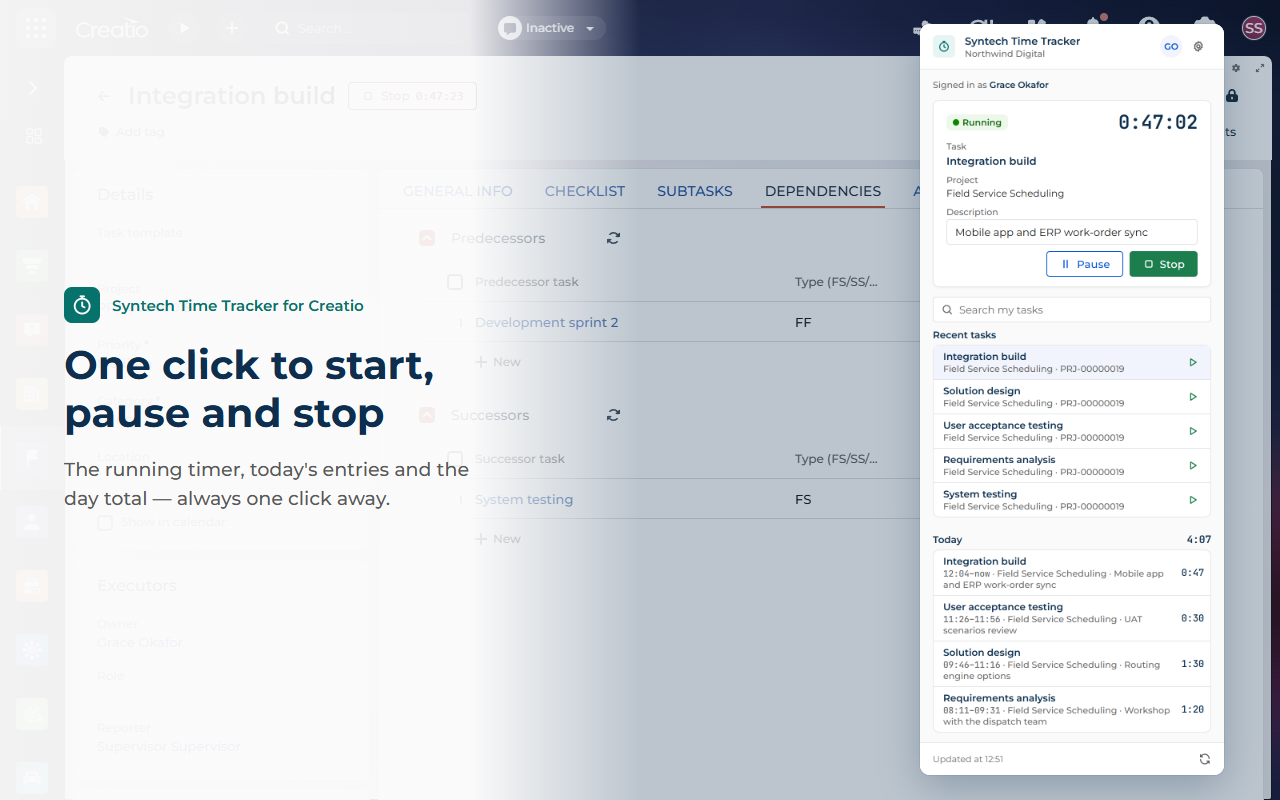
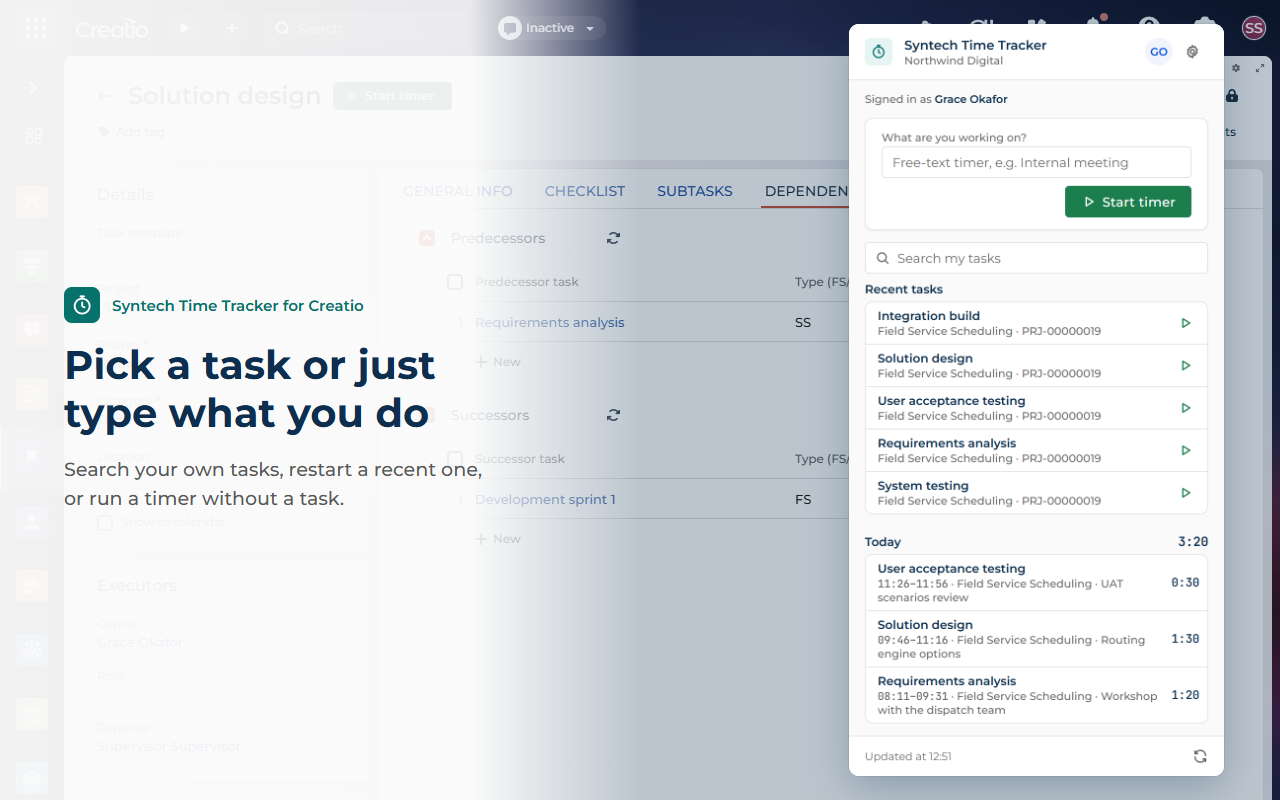
Running time in h:mm. Green while running, amber while paused, a red “!” when signed out.
Recent tasks, task search, or a timer without a task.
Today’s entries and total, each with its timesheet status.
Start / Stop next to the task title.
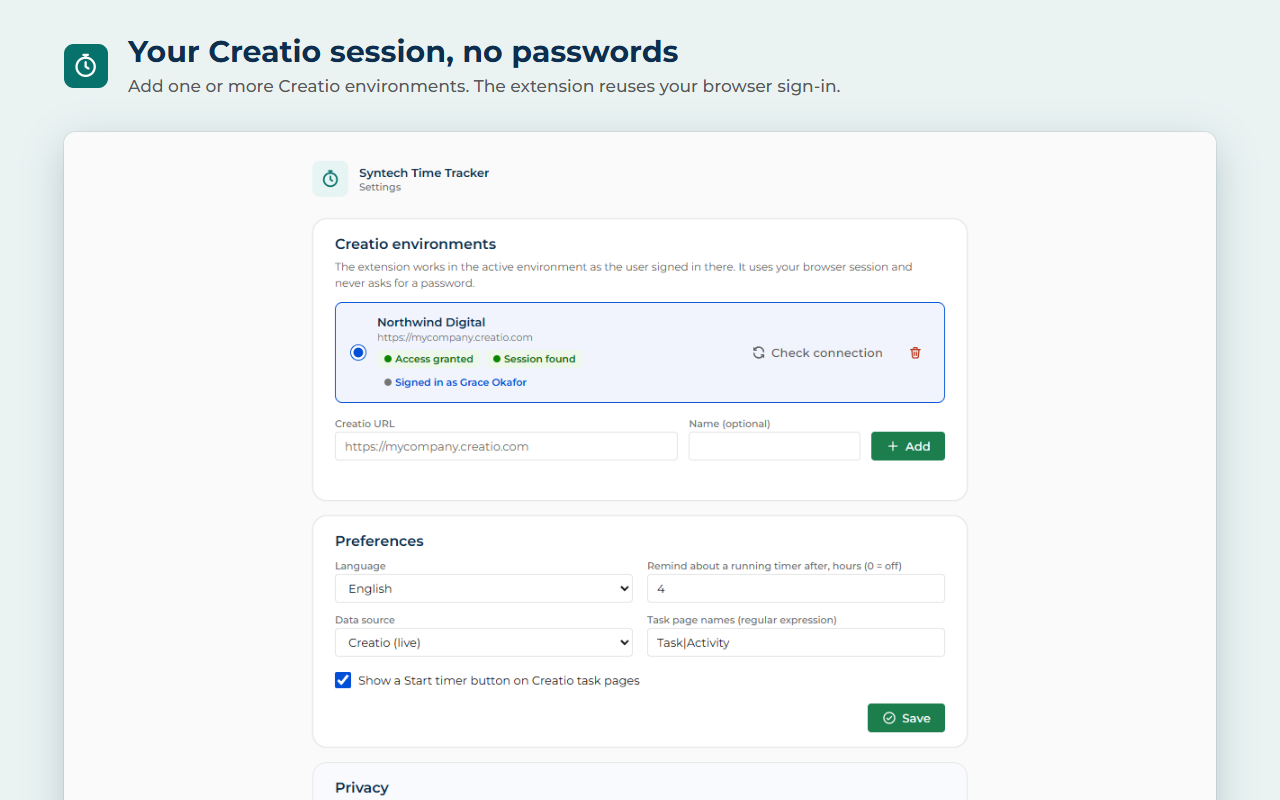
Choose the reminder interval in hours; the notification offers Stop and Keep running.
Add more than one environment and pick the active one.
Uses your existing Creatio browser session; never asks for, types or stores a password or token; talks only to the Creatio addresses you add.
Works in Chrome and Edge. Requires the Syntech Time Tracker app in your Creatio.
The Syntech TMetric connector brings TMetric time entries into Project Management timesheets, so teams keep their tracker and PMs keep their numbers.
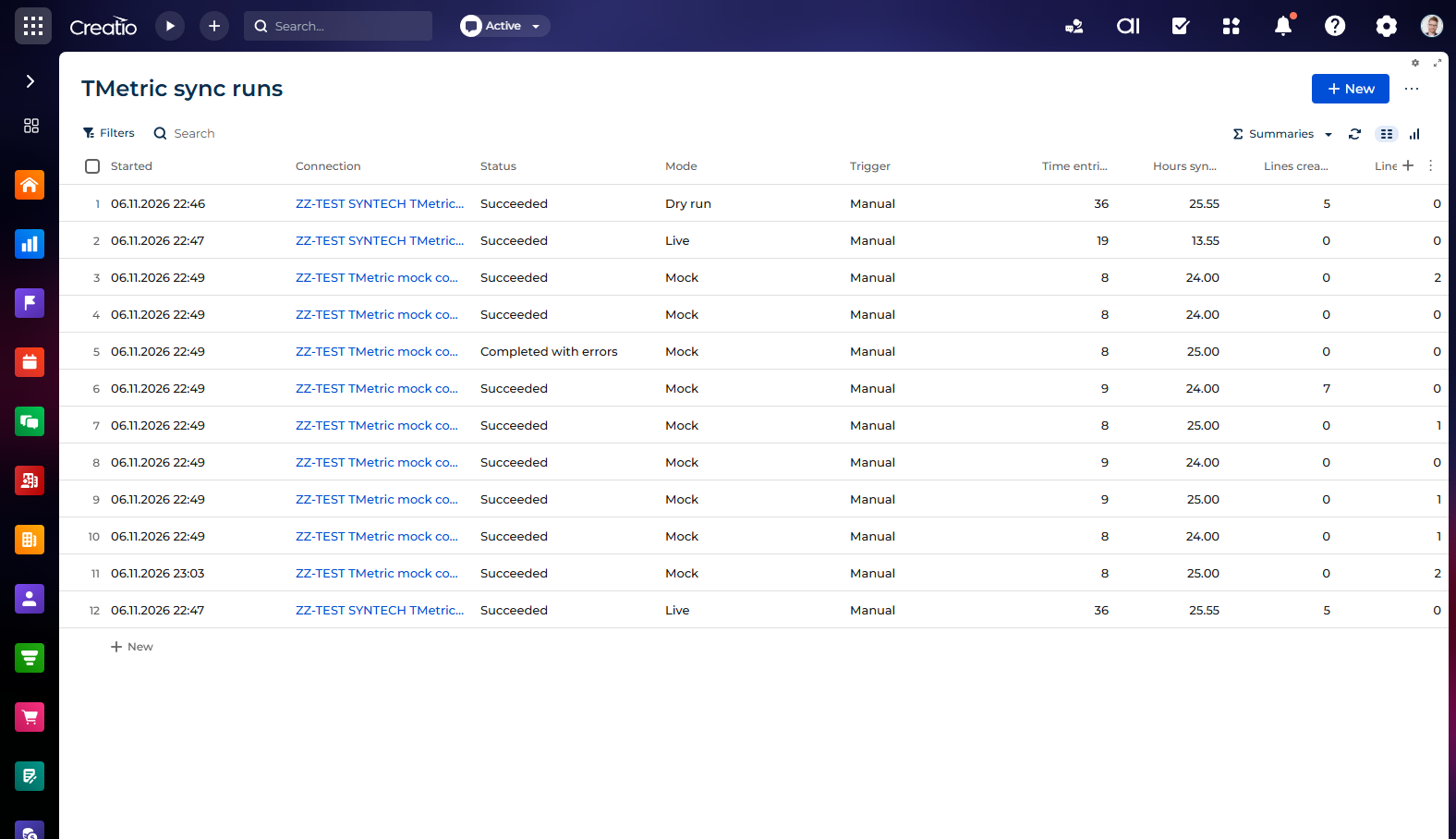
TMetric clients, projects, tasks and members are matched to Creatio accounts, projects, tasks and contacts.
Runs automatically every 15 minutes, or on demand with Sync now; every run has a log.
The timesheet status in PM mirrors the TMetric approval status in the default mode.
The connector never changes data in TMetric.
Test connection and a dry run before anything is written.
TMetric is a trademark of its owner. Requires a TMetric API token from a workspace admin.
Bring your projects, people and time together inside Creatio.